

If you just bought a new TM SIM, activation usually starts when your phone detects the SIM and connects to Globe/TM signal. To fully use calls, texts, mobile data, and promos, the SIM also needs to be registered under the Philippine SIM Registration Act.
What to Prepare Before Activating Your TM SIM
Most activation issues come from a locked phone, poor signal, or an incorrectly inserted SIM. Check these first.
| Requirement | Why it matters | Quick check |
|---|---|---|
| Brand-new or working replacement TM SIM | Damaged SIM cards may not provision correctly. | If scratched or bent, try another phone or request replacement. |
| Unlocked phone | Network-locked devices may reject TM/Globe SIMs. | If it says SIM not supported, the phone may be locked. |
| Strong Globe/TM signal | Activation can fail in weak coverage. | Activate near a window or outdoors if needed. |
| SIM registration documents | Registration is required before full SIM use and prevents blocking/deactivation. | Prepare valid ID and personal details. |
| Optional small load | Useful for test SMS/call activation triggers. | Load a small amount if outgoing SMS/calls fail. |
How to Activate Your TM SIM Card
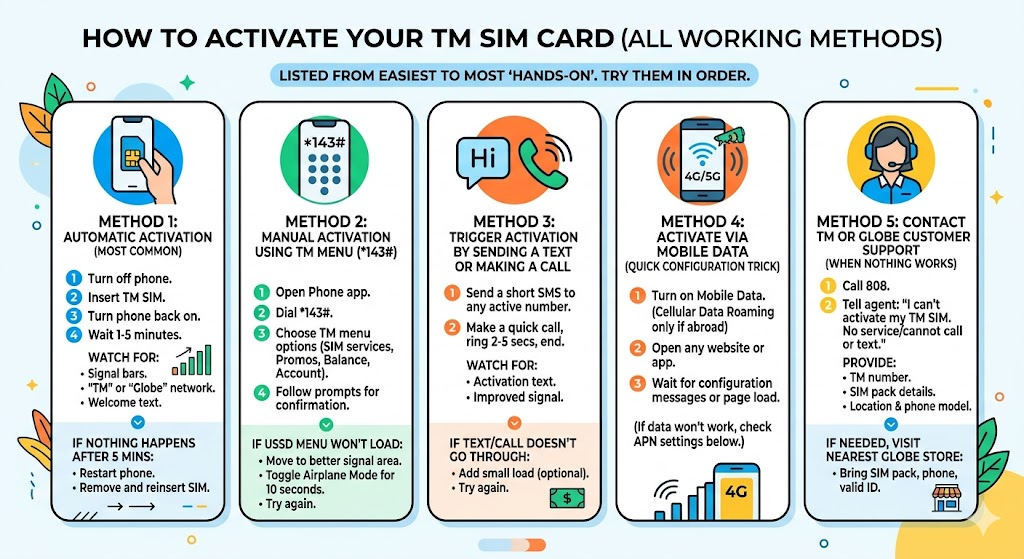
Method 1: Automatic Activation
- Turn off your phone.
- Insert the TM SIM into the SIM tray or slot.
- Turn your phone back on.
- Wait 1 to 5 minutes.
- Watch for signal bars, TM or Globe network name, and a welcome/configuration message.
If nothing happens after a few minutes, restart once more, then remove and reinsert the SIM carefully.
Method 2: Use the TM Menu with *143#
- Open your Phone app.
- Dial *143# and press Call.
- Choose the TM menu options shown on screen.
- Try a balance, account, promo, or SIM services option.
- Wait for the result or confirmation SMS.
If the USSD menu does not load, move to stronger signal, toggle Airplane Mode for 10 seconds, then try again.
Method 3: Trigger Activation with a Test SMS or Call
- Send a short SMS to an active number.
- Or make a quick test call and let it ring for a few seconds.
- Wait for a welcome/activation text or improved service.
- If SMS/call fails, add a small load and try again.
Method 4: Trigger Mobile Data Configuration
- Turn on Mobile Data.
- Open a browser, GlobeOne, or an app such as Google or Facebook.
- Wait for the page to load, for GlobeOne to detect the number, or for configuration texts to arrive.
- If data still fails, check the APN section below.
Method 5: Contact TM/Globe Support
If the SIM still shows No Service after these checks, contact support. Dial 808 from a Globe/TM number or visit a Globe Store with your SIM pack, phone, and valid ID.
Activation Methods Compared
| Method | Best for | Typical time | Success sign |
|---|---|---|---|
| Automatic activation | Brand-new SIM with good signal | 1–5 minutes | Signal bars and welcome SMS |
| *143# menu | SIM has signal but services are incomplete | 1–3 minutes | USSD menu loads |
| Text/call trigger | SIM detected but not fully provisioned | 1–5 minutes | SMS sends or call connects |
| Mobile data trigger | Data settings need a refresh | 2–10 minutes | Web pages load |
| Customer support | Persistent no-service issues | Varies | Support confirms provisioning or replacement |
TM APN Settings if Mobile Data Is Not Working
If calls and texts work but mobile data does not, use the standard Globe/TM internet APN.
| Setting | Value |
|---|---|
| Name | TM Internet |
| APN | internet.globe.com.ph |
| Username / Password | Leave blank |
| MCC / MNC | 515 / 02 |
| APN type | default,supl |
| Proxy / Port | Not set |
After saving, turn Airplane Mode on for 10 seconds, turn it off, then restart if needed. For a detailed walkthrough, see the TM APN settings guide.
What to Do After Activating Your TM SIM
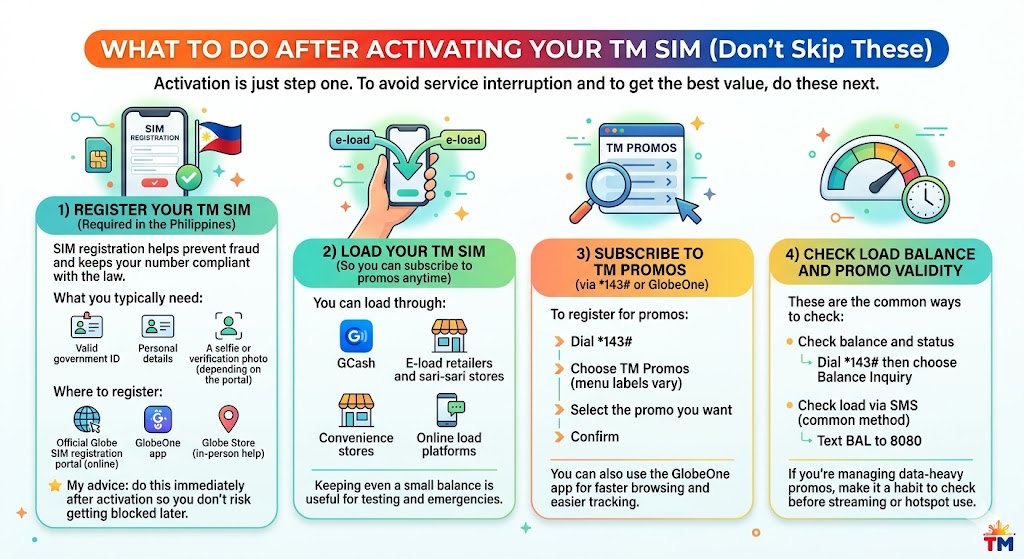
- Register your SIM right away. Use the official Globe SIM registration portal, GlobeOne app, or Globe Store assistance. New SIMs need registration for full service, and successful registration may include a bonus such as free data when offered by TM/Globe.
- Load your TM SIM. Use GCash, e-load retailers, convenience stores, or online loading channels.
- Subscribe to promos. Use *143#, GlobeOne, or available promo keywords.
- Check balance and validity. For load, text BAL to 2888 or dial *143#. For data, try DATA BAL to 8080 or GlobeOne. Keyword formats can change, so use GlobeOne or *143# if a text code fails.
Common TM SIM Activation Problems and Fixes
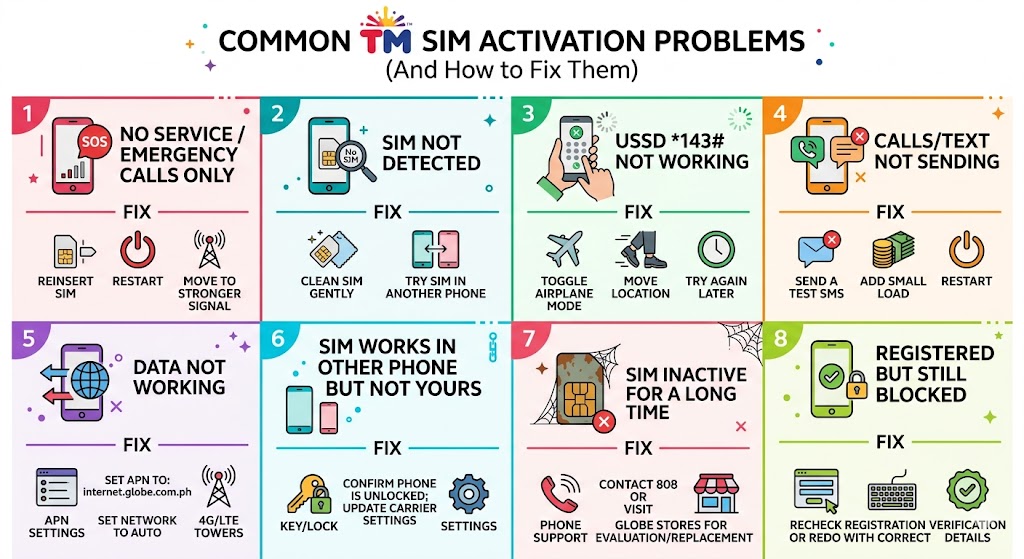
| Problem | Likely cause | Fix |
|---|---|---|
| No Service | Weak signal, locked phone, bad SIM insertion | Restart, reinsert SIM, test another phone, move to better coverage. |
| SIM not supported | Phone is network-locked | Use an unlocked phone or contact the phone carrier. |
| *143# does not load | Signal congestion or weak coverage | Toggle Airplane Mode, move location, then retry. |
| Data not working | APN issue, unregistered SIM, or no active data promo | Complete SIM registration, set APN to internet.globe.com.ph, and check promo/load. |
| Cannot register SIM | OTP, upload, or ID issue | Retry later, use clearer ID/selfie images, or visit a Globe Store. |
| Old or expired SIM pack | SIM may be expired, defective, or not provisioned anymore | Try another phone first, then visit a Globe Store for checking or replacement. |
How to Check if Your TM SIM Is Activated
- Check for stable TM/Globe signal bars.
- Dial *143# and confirm that the menu loads.
- Text BAL to 2888 and wait for a reply, or use GlobeOne if the keyword fails.
- Make a quick test call or send a test SMS.
- Open GlobeOne and check if the number can be added, viewed, or loaded.
- Check registration status through GlobeOne, the official Globe/TM registration portal, or the currently supported status keyword if available, such as SMERG to 8080.
FAQs
How long does TM SIM activation take?
It can take a few minutes when signal is good. If it takes longer, restart your phone, reinsert the SIM, and try *143#.
Do I need to register my TM SIM before using it?
Yes. Registration is required by law, and a new SIM needs registration before calls, texts, mobile data, and promo services can work reliably. Unregistered SIMs may be blocked or deactivated.
Why does my TM SIM show No Service?
Common causes are weak coverage, a locked phone, poor SIM insertion, or a defective SIM. Try another phone and contact support if it still fails.
What APN should I use for TM mobile data?
Use internet.globe.com.ph with proxy and port left blank. Keep MCC as 515 and MNC as 02.